
最近在用vue做项目时遇到提交完成后给出提示信息,发现有Toast轻提示功能,于是在网上搜索资料并参考官方文档基本实现了Toast轻提示功能,现记录下来供大家参考。
一、实现效果:
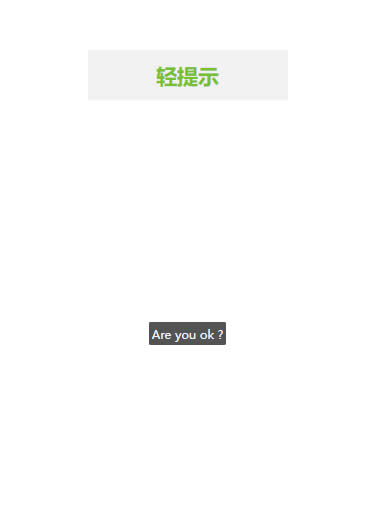
二、相关代码:
首先创建一个toast组件
<template>
  <div class="context" v-show="isshow">
    <span class="tip">{{ text }}</span>
  </div>
</template>
<script>
export default {
  name: "Toast",
  props: {
    isshow: {
      type: Boolean,
    },
    text: {
      type: String,
    },
  },
  watch: {
    isshow(val) {
      if (val === true) {
        setTimeout(() => {
          this.isshow = false;
        }, 3000);
      }
    },
  },
};
</script>
<style lang="less" scoped>
.context {
  position: absolute;
  top: 0;
  width: 100%;
  height: 100%;
  z-index: 100;
  display: flex;
  justify-content: center;
  align-items: center;
  .tip {
    background-color: rgba(40, 40, 40, 0.8);
    color: aliceblue;
    font-size: 0.6rem;
    padding: 0.2rem;
    border-radius: 0.1rem;
  }
}
</style>
接着是在js文件中引入组件:
import Toast from "./Toast.vue";
let NewToast = {
  install: function (Vue) {
    //创建vue插件,官方地址https://cn.vuejs.org/v2/guide/plugins.html
    let newToast = Vue.extend(Toast); //创建vue构造器,官方地址https://cn.vuejs.org/v2/api/#Vue-extend
    let toast = new newToast(); //创建实例
    document.body.appendChild(toast.$mount().$el); //挂载
    Vue.prototype.$Toast = function (text) {
      toast.isshow = true; // 传入props
      toast.text = text; // 传入props
    };
  },
};
export { NewToast };
然后是在入口文件中引入上面这个js文件
import { NewToast } from "@/components/index.js";
Vue.use(NewToast);
最后就可以在view里全局使用了
but() {
    this.$Toast("Are you ok ?");
},
好了,通过以上代码就可以在vant项目中实现Toast轻提示了。
另外我们在测试过程会有可能会遇到报错,按照官方文档中的方法去使用发现报错使用不了。
文档中是这样写的
Toast.success('成功文案');
Toast.fail('失败文案');
main.js中引用vant后直接调用Toast报错。
实际使用是这样写
this.$toast.success("成功文案");
this.$toast.fail("失败文案");
和调用路由一样需要this点出来。
好了,以上内容就是今天为大家介绍的全部内容了,如果你看完后喜欢的话记得收藏哦。 网站
网站